Show your work. Share it, get booked, be found.
Cretweb is the home for your photos and your craft. Store and share galleries with clients, edit and retouch in the browser, and publish your own website. Made for photographers, fashion designers, makeup artists and anyone with work worth showing.
Works in any modern browser on desktop, tablet and phone. Nothing to install. Individuals welcome: no company needed.
Made for people who make things look good
Everything a photographer needs, in three parts
Start with whichever you need today. They all share the same photo library.
Galleries & client sharing
Upload, organise into albums and share a private link. Clients choose their favourites and leave a note on any photo.
A pro photo editor
Layers, masks, curves, colour grading, skin retouching, liquify, text and more. Edit one photo or a whole shoot at once.
Your portfolio website
Publish your best work as a website at your own address, with your own domain, and see who visits.
If you make something beautiful, show it here
A fashion designer can show every collection as a lookbook. A makeup artist can show before and after. A tailor, florist, cake maker or interior designer can show finished work. Each gets a website with a price list, a booking form, testimonials and social links, without needing a company or a developer.
Fashion
Collections as lookbooks.
Makeup
Looks and transformations.
Hair
Styles that book themselves.
Art & craft
Pieces, one by one.
From shoot to client in four steps
New here? Follow the step-by-step tutorials →
Upload
Drag in your photos, or RAW files. They are organised in albums with thumbnails made for you.
Edit
Open one photo or a whole selection in the editor. Copy your edits to the rest in one click.
Share
Send a private album link. Clients pick favourites and add comments, and you see what they chose.
Publish
Turn your best albums into a portfolio website, on your own domain if you like.
Serious editing, right in the browser
Everything runs on your own device, so adjustments feel instant and your originals stay untouched. Saving creates an edited copy.
- Layers with 16 blend modes, masks and adjustment layers
- Curves, levels, HSL mixer, colour grading and film grain
- Portrait retouching: skin smoothing, spot removal, teeth and eye whitening
- Liquify, puppet warp, pen tool and text on a path
- Batch actions, print & colour management and PSD files
Let clients choose, and tell you why
Share an album with a private link. Your client opens it on any device, ticks the photos they love and can write a short note on each one, such as “please retouch this one”.
- You see the chosen photos and every comment in one list
- Export the list as a CSV file for your workflow
- See how often an album was opened and which photos were chosen most
- Clients can save photos straight to their phone
Made for every screen
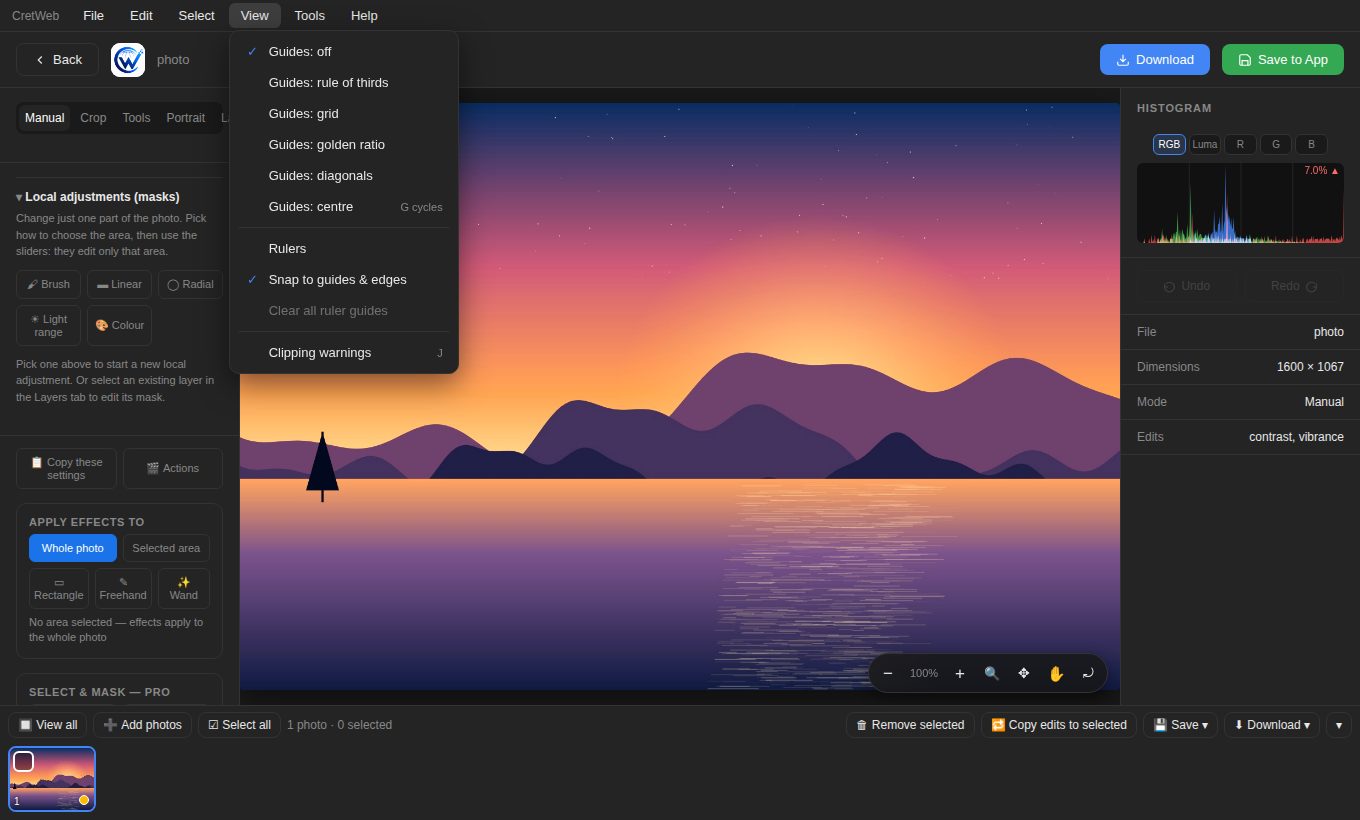
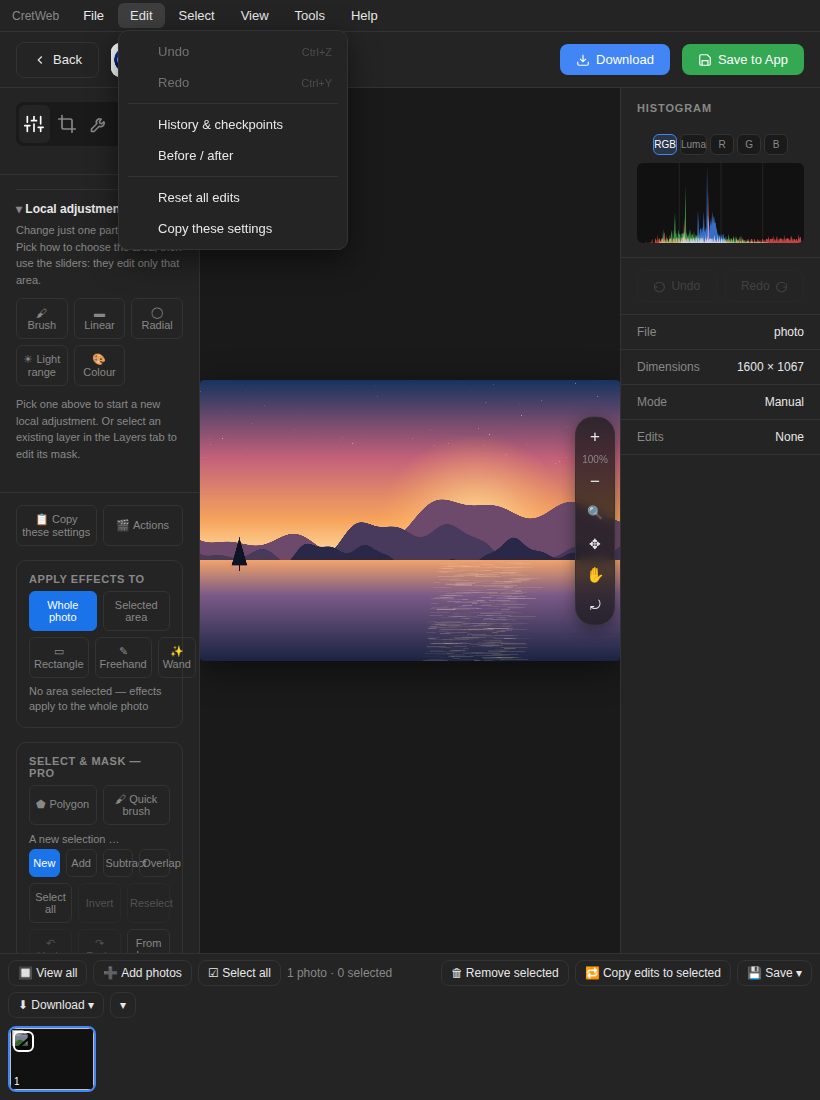
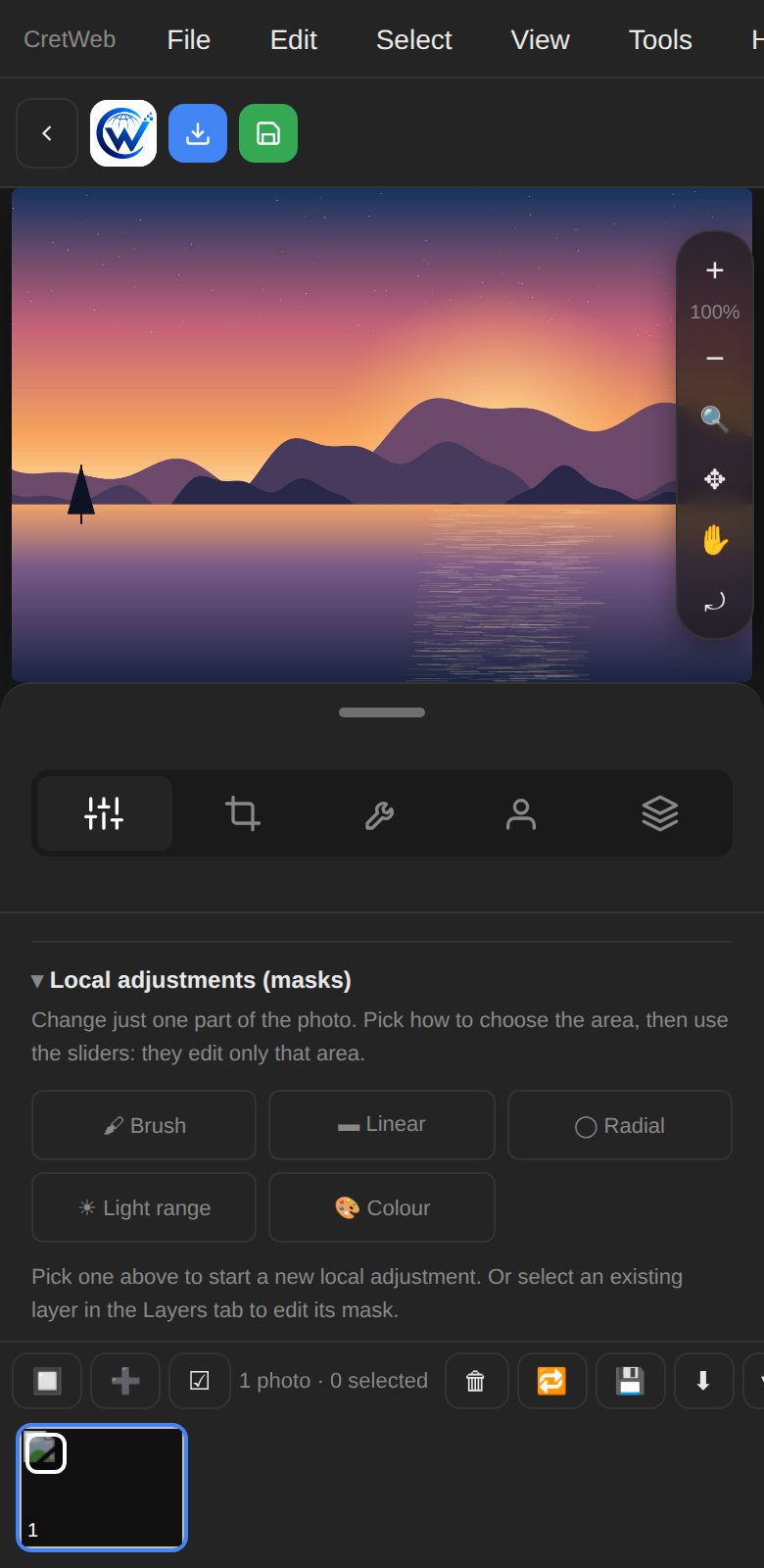
The same app on your desktop, tablet and phone. The editor reorganises itself for touch, with a menu bar for every command, big tap targets and pinch to zoom.
Desktop
Full workspace with panels, histogram, rulers, guides and keyboard shortcuts.
Tablet
Icon tabs and a slim zoom bar keep the picture big.
Phone
Edit, review and share on the move.
Built with your work in mind
Your library belongs to you, and the tools are designed so your originals are safe.
Private by default
Every account has its own isolated library. Albums are only shared through links you create.
Originals stay original
Saving from the editor makes an edited copy. Nothing overwrites your uploaded file.
Safe extensions
Plugins run in a locked sandbox that cannot reach the network or your account.
Careful servers
Uploads are checked by their real content, image links are signed and sign-in attempts are rate limited.
Questions, answered
Do I need to install anything?
No. Cretweb runs in your browser on desktop, tablet and phone.
Can my clients view albums without an account?
Yes. They open the private link you send. They can choose photos and comment without creating an account.
Can I use my own domain?
Yes. Request a custom domain for your portfolio website and Cretweb shows you the exact DNS records to set.
Ready to try it?
Log in to your Cretweb account, or create one and upload your first album.